Snow Heart
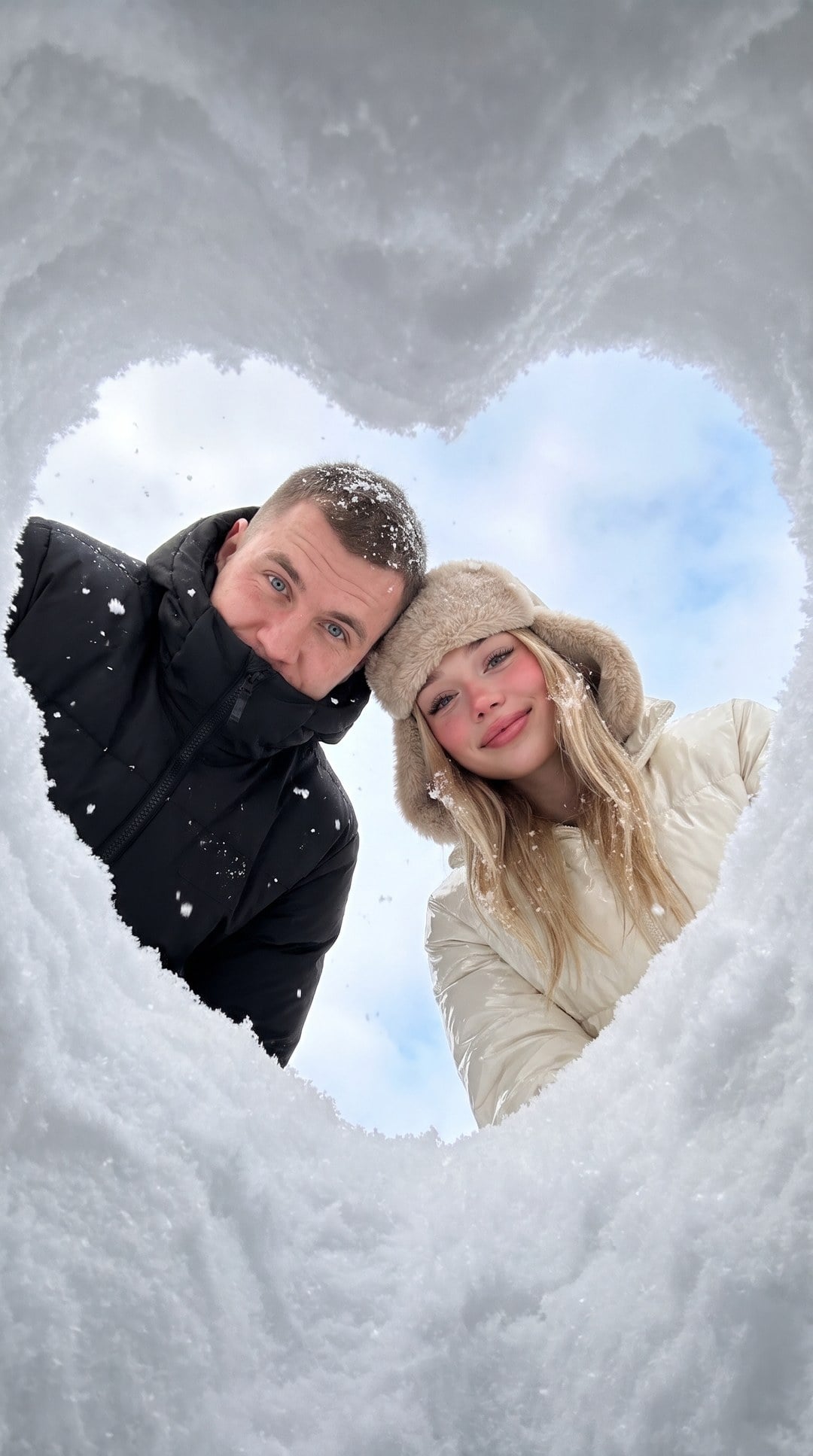
Upload your photo and your boyfriend’s: the two of you peek into a heart carved in the snow while the camera shoots from below. Winter romance.
“Snow Heart” is an AI photo template. Upload your photo and your boyfriend’s: the two of you peek into a heart carved in the snow while the camera shoots from below. Winter romance. Upload 2 photos: “Your photo” and “Boyfriend’s photo”. The prompt is already inside, so there’s nothing to type. Nano Banana Pro, 30 credits per image at 2K, and you only pay for a finished result.
What you get
How it works
- 1. Tap “Make one like this”: the prompt is already inside, nothing to type.
- 2. Upload photos to the “Your photo” and “Boyfriend’s photo” fields: face clearly visible, daylight, no filters.
- 3. Start the generation. You see the price up front and only pay for the result.
What people use it for
- A TikTok or Instagram post or carousel in a format that’s trending right now.
- An avatar or a story cover.
- A fun surprise for friends: the image is easy to share in a chat.
Photo and prompt tips
- Your photo: Face clearly visible, one person in the shot, no glasses or filters.
- Boyfriend’s photo: Face visible, one person in the shot.
- Use daylight and skip filters and dark glasses: that way the AI captures your face more accurately.
- Not happy with the result? Run it again: every generation is a little different, and a new image takes a minute or two.
Template prompt
You can tweak it right in the generator: the template just fills in a starting point.
Photo 1 is me, a young woman: keep exactly my face, eye colour, eyebrows, nose, lips, skin tone and hair colour, the same person, instantly recognizable. Photo 2 is my boyfriend, a young man: keep exactly his face, eye colour, eyebrows, nose, skin tone, hair colour, haircut and facial hair as in his photo, the same person, instantly recognizable. Keep our Slavic appearance, do not change ethnicity, do not mix our faces. Exactly two people in the frame.

Create a realistic winter photo, vertical 9:16, shot from below, from inside a snowdrift, looking up through a big heart-shaped hole cut in deep fresh snow. The snow forms a thick soft frame around the whole picture: fluffy sparkling snow crystals in the foreground at the edges, slightly out of focus, and the clean heart-shaped opening in the middle shows a soft overcast winter sky with light blue patches and white clouds.

Inside the heart: the two of us lean over the hole and look down into the camera, our heads close together, his forehead touching the side of my head. He is on the left: a black matte puffer jacket with the high collar zipped up over his mouth and chin, only his eyes and nose visible, his own hair with a few snowflakes on it, a calm, slightly playful look. I am on the right: a fluffy beige faux-fur trapper hat with ear flaps, a cream-white glossy puffer jacket, my own hair in exactly my hair colour falling loose from under the hat with snowflakes in it, rosy cold cheeks, a soft happy smile, looking into the camera.

Look: soft diffused daylight, cold bright tones, real skin texture, snowflakes falling and stuck to our clothes and hair, natural phone photo from a low angle, sharp faces, cosy romantic winter mood.

If both photos show women or both show men, keep each person exactly as in their photo, with the same outfits and pose.

Avoid: changed faces, changed hair colour, mixed or blended faces, a third person, extra hands, warped heart shape, text, watermarks, logos.
FAQ
- How do I make “Snow Heart” from my photo?
- Tap “Make one like this” and upload 2 photos: “Your photo” and “Boyfriend’s photo”. In a minute or two the image appears in My generations, ready to download.
- How much does the “Snow Heart” template cost?
- Nano Banana Pro, 30 credits per image at 2K. You see the price before you start, and you only pay for a finished result.
- Can I try it for free?
- Yes: new accounts get 50 credits, enough for a first generation with this template.