Snowy
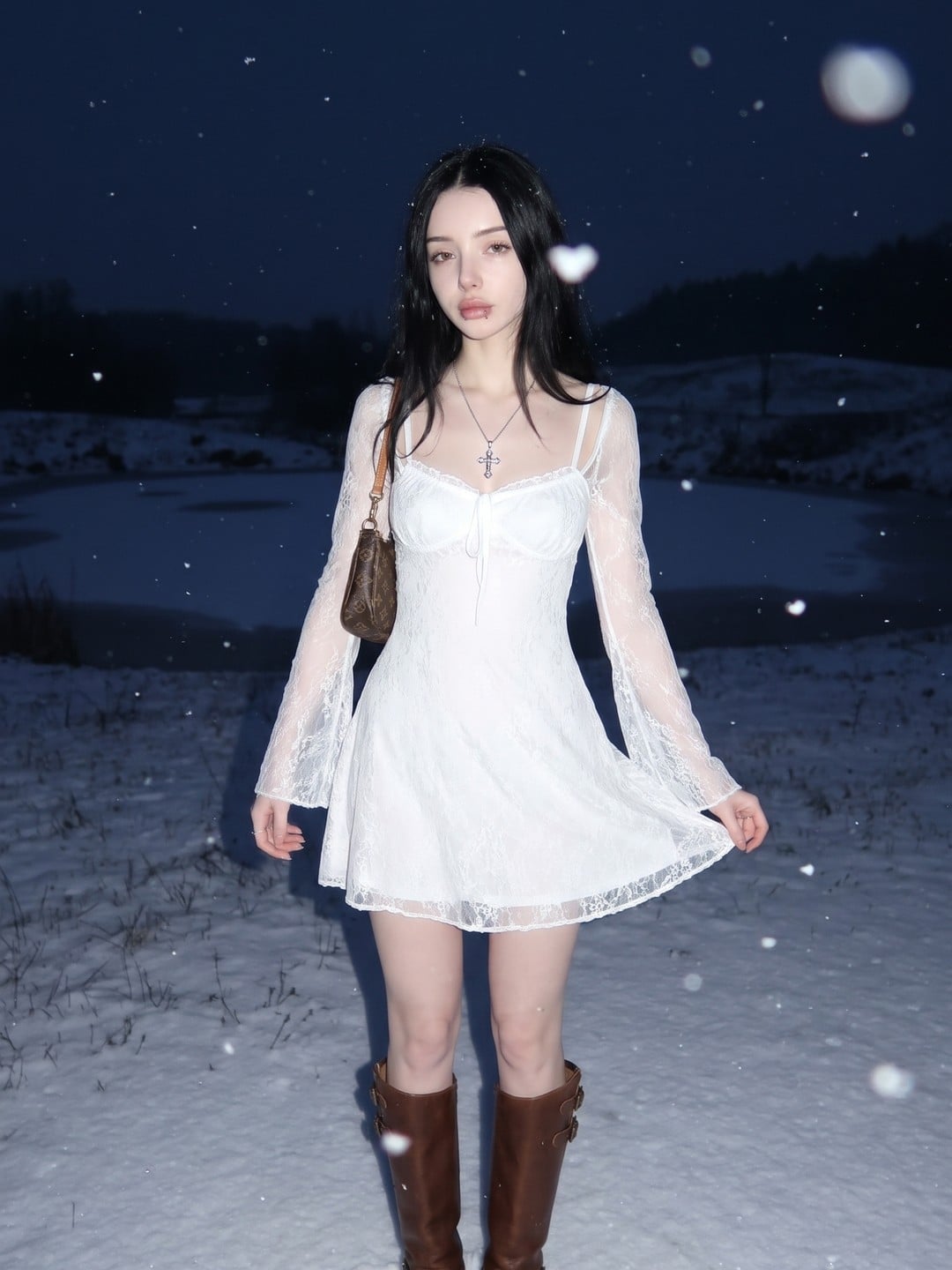
Upload your photo: you stand at night in a snowy field in a white lace dress and tall boots, with snow falling and the flash going off.
“Snowy” is an AI photo template. Upload your photo: you stand at night in a snowy field in a white lace dress and tall boots, with snow falling and the flash going off. Upload your photo. The prompt is already inside, so there’s nothing to type. Nano Banana Pro, 30 credits per image at 2K, and you only pay for a finished result.
What you get
How it works
- 1. Tap “Make one like this”: the prompt is already inside, nothing to type.
- 2. Upload a photo to the “Your photo” field: face clearly visible, daylight, no filters.
- 3. Start the generation. You see the price up front and only pay for the result.
What people use it for
- A TikTok or Instagram post or carousel in a format that’s trending right now.
- An avatar or a story cover.
- A fun surprise for friends: the image is easy to share in a chat.
Photo and prompt tips
- Your photo: Face clearly visible, one person in the shot, no glasses or filters.
- Use daylight and skip filters and dark glasses: that way the AI captures your face more accurately.
- Not happy with the result? Run it again: every generation is a little different, and a new image takes a minute or two.
Template prompt
You can tweak it right in the generator: the template just fills in a starting point.
Photo 1 is me. Keep my exact face, facial features, skin tone, hair color and hairstyle from photo 1. Make a new full-length photo of me standing outside at night during a snowfall, lit by a direct on-camera flash.

Outfit: a short white lace mini dress with a fitted bodice, thin straps and a small sweetheart neckline with a tiny bow, long sheer white lace bell sleeves worn slightly off one shoulder, the skirt short and flared; a silver cross pendant on a thin chain; tall brown leather knee-high boots with buckles; a small brown patterned shoulder bag on a thin strap over one shoulder.

Pose and framing: standing straight facing the camera, full body from head to boots filling almost the whole height of the frame, the camera close, one hand holding out the edge of the lace skirt to the side, the other arm relaxed, calm soft look into the camera.

Scene: always the same place no matter what is behind me in photo 1: a dark winter night in an open countryside field by a pond with low dark hills far behind, the sky deep dark blue-black, the background dark and barely visible, fresh white snow on the ground with blades of dry grass sticking through, snow is falling. The bright direct camera flash lights me from the front: bright skin with a soft flash glow, crisp details, the background falls off into darkness. Snowflakes all around: small sharp flakes near me and a few big blurry round snowflakes very close to the lens glowing in the flash, a few flakes in my hair.

Real candid flash photo on a phone, vertical, realistic, high detail, natural skin texture.

Avoid: changing my face or hair, a different outfit, a coat or jacket, cropping the boots or head, a tiny figure far away, the background from photo 1, buildings, a city, a street, a room, daylight, warm light, cartoon snow, snow falling as streaks or lines, text, watermark.
FAQ
- How do I make “Snowy” from my photo?
- Tap “Make one like this” and upload your photo. In a minute or two the image appears in My generations, ready to download.
- How much does the “Snowy” template cost?
- Nano Banana Pro, 30 credits per image at 2K. You see the price before you start, and you only pay for a finished result.
- Can I try it for free?
- Yes: new accounts get 50 credits, enough for a first generation with this template.